
Turn Any Barcode into Product Data with One API Call
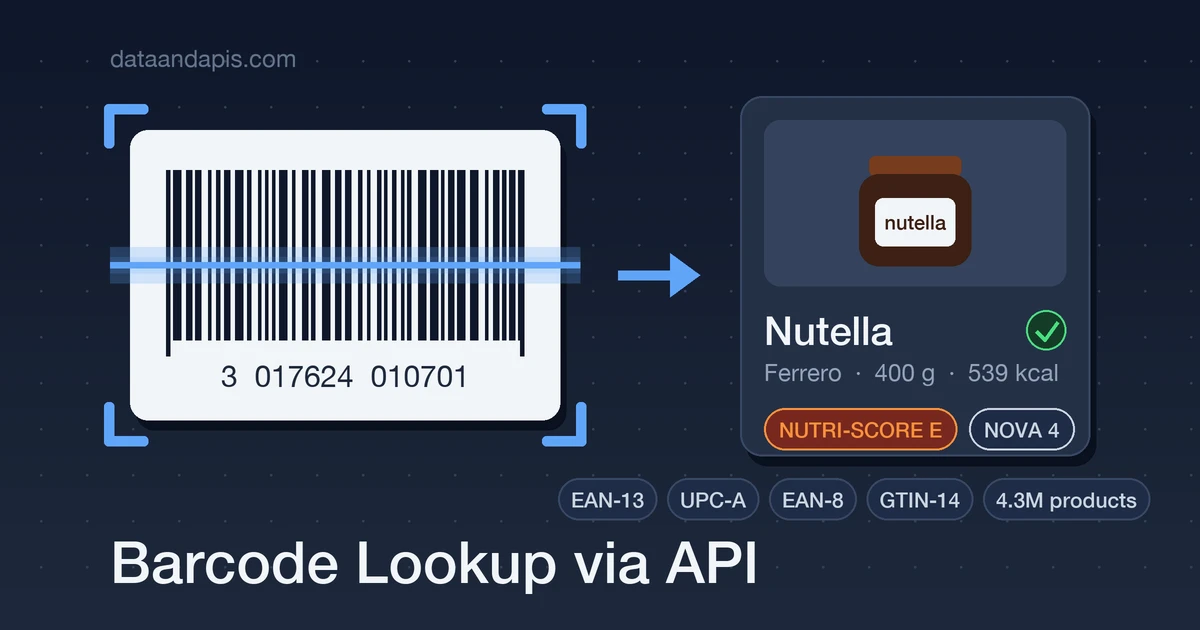
A barcode on its own is just thirteen digits. The feature your users actually want — point the camera at a jar and see the product's name, brand, ingredients, and nutrition — depends entirely on turning that number into data, and no barcode contains any of it.
That's the real work of every scanning app: the product database behind the scan. In this guide you'll build the whole pipeline — reading a barcode with the browser's camera, looking it up against ~4.3 million products, and handling the edge cases (padding, misses, sparse data) that separate a demo from a shippable feature.
The 30-Second Version
One GET with the barcode in the path. Here's the EAN-13 from a jar of Nutella:
curl "https://api-barcode-lookup.dataandapis.com/v1/products/3017624010701" \
    -H "x-api-key: YOUR_API_KEY"
{
"barcode": "3017624010701",
"name": "Nutella",
"brand": "Ferrero",
"quantity": "400 g",
"scores": { "nutriscore": "e", "nova_group": 4 },
"nutriments_per_100g": { "energy-kcal_100g": 539, "sugars_100g": 56.3 },
"image_url": "https://images.openfoodfacts.org/images/products/301/762/401/0701/front_en.jpg",
"attribution": { "source": "Open Food Facts", "url": "https://world.openfoodfacts.org/product/3017624010701" }
}Name, brand, package size, health scores, per-100g nutriments, a photo, and an attribution link — everything a scanning UI needs, in one round trip. The rest of this post wires it up end to end.
Barcode Formats in Two Minutes
Retail barcodes are GTINs (Global Trade Item Numbers) in a few lengths, and knowing the relationships saves you real debugging time:
- EAN-13: 13 digits, the worldwide standard on groceries.
- UPC-A: 12 digits, the North American variant — every UPC-A is an EAN-13 with a leading zero.
- EAN-8: 8 digits for tiny packages (gum, cosmetics).
- GTIN-14: 14 digits on cases and pallets, wrapping one of the above.
The classic bug: your scanner returns a 12-digit UPC-A, your database stored it as a 13-digit EAN, and the exact-match lookup misses. The lookup endpoint tries the common re-paddings automatically — scan whatever the camera gives you and send it as-is.
Where Does the Product Data Come From?
There is no official global registry that resolves a GTIN to a product description — your options are building a database or buying access to one. Building your own usually means the Open Facts community databases (Open Food Facts plus its beauty, product, and pet-food siblings): wonderful data, but the DIY route means streaming multi-gigabyte exports, running a daily delta-ingest pipeline (the export schema is mid-migration and old and new nutriment formats coexist), and hosting millions of rows before your first scan works. Scraping retailer sites instead is fragile and usually against their terms.
The Barcode Lookup API is that pipeline already built: ~4.3M products across the four Open Facts datasets, refreshed daily from the official delta exports, behind a single lookup endpoint. One licensing note up front, because it matters: the data is ODbL — attribution is required (every response includes a ready-made attribution block) and derivative databases must be share-alike. Displaying results in your app is fine; republishing the database is what triggers the share-alike clause.
Step 1: Read the Barcode with the Camera
Chromium browsers (including Android WebView) ship a native BarcodeDetector — no library needed. Safari and Firefox don't support it, so feature-detect and fall back to a JavaScript decoder like ZXing there:
const video = document.querySelector("video");
const stream = await navigator.mediaDevices.getUserMedia({
    video: { facingMode: "environment" },
});
video.srcObject = stream;
await video.play();

if (!("BarcodeDetector" in window)) {
    // Fall back to a JS decoder (e.g. @zxing/browser) on Safari/Firefox
}

const detector = new BarcodeDetector({
    formats: ["ean_13", "upc_a", "ean_8"],
});

const poll = setInterval(async () => {
    const codes = await detector.detect(video);
    if (codes.length > 0) {
        clearInterval(poll);
        stream.getTracks().forEach((t) => t.stop());
        await lookUpProduct(codes[0].rawValue);
    }
}, 300);
Step 2: Look It Up (Server-Side)
Don't call the lookup API straight from the browser — that publishes your API key to anyone who opens DevTools. Send the scanned barcode to your own backend and do the lookup there:
// POST /api/scan  { "barcode": "3017624010701" }
export async function handleScan(req, res) {
    const { barcode } = req.body;

    const resp = await fetch(
        `https://api-barcode-lookup.dataandapis.com/v1/products/${barcode}`,
        { headers: { "x-api-key": process.env.BARCODE_API_KEY } },
    );

    if (resp.status === 404) {
        // Not in the database — offer manual entry instead of a dead end
        return res.status(404).json({ found: false, barcode });
    }

    const product = await resp.json();
    res.json({
        found: true,
        name: product.name,
        brand: product.brand,
        image: product.image_url,
        nutriscore: product.scores.nutriscore,
        attribution: product.attribution,
    });
}
Step 3: Use the Nutrition Data — a Pantry Tracker in Python
import os
import requests

API = "https://api-barcode-lookup.dataandapis.com/v1"
HEADERS = {"x-api-key": os.environ["BARCODE_API_KEY"]}

def add_to_pantry(barcode: str) -> dict:
    resp = requests.get(f"{API}/products/{barcode}", headers=HEADERS, timeout=15)
    resp.raise_for_status()
    p = resp.json()

    nutriments = p["nutriments_per_100g"]
    return {
        "name": p["name"],
        "brand": p["brand"],
        "kcal_per_100g": nutriments.get("energy-kcal_100g"),
        "sugars_per_100g": nutriments.get("sugars_100g"),
        "nutriscore": p["scores"]["nutriscore"],
        "allergens": p["allergens"],
    }

print(add_to_pantry("3017624010701"))
Note the .get() calls on nutriments: community data varies in completeness, so treat every nutrition field as optional (more on that below).
Beyond the Scan: Search and Browse
- Search:
/v1/products?q=oat+milk&nutriscore=a— filter by name, brand, category, country, Nutri-Score (a–e), NOVA group (1–4), or dataset (food, beauty, products, petfood). - has_image=true: restrict results to products with photos when you're building a visual UI.
- completeness: every record carries a 0–1 completeness score — sort or filter by it when you need rich records.
- /v1/brands and /v1/sources: top brands by product count, and per-dataset provenance, licence, and record counts.
Gotchas That Separate a Demo from a Product
- A 404 is a UX moment, not an error. Community databases can't have everything — regional and store-brand products miss most often. Show "not found — add it?" instead of a dead end; your users' manual entries become your differentiation.
- Treat nutrition fields as optional. Some records have full per-100g panels; others just a name and photo. Guard every field and use
completenessto decide how much UI to render. - Keep the API key off the client. Proxy lookups through your backend — it also gives you one place to cache popular barcodes.
- Honor the attribution. The
attributionblock links each product to its Open Facts source page — render it. It's both the ODbL requirement and a free "report an issue" path for your users.
Five Things to Build with This
- Diet & pantry trackers: scan groceries in, log calories and Nutri-Scores automatically.
- Allergen checkers: scan a product, match its allergen tags against a user's profile, warn instantly.
- Inventory & POS enrichment: new stock scans itself in with names, brands, and photos prefilled.
- E-commerce listing autofill: sellers type a barcode; title, brand, size, and image populate themselves.
- Household reorder lists: scan the empty jar into next week's shopping list before it hits the recycling.
Wrap-Up
A barcode feature is three pieces: a camera decoder in the client, a product database behind an endpoint, and honest handling of the misses. You've now got working code for all three — and the hard piece, the multi-million-product database with daily refreshes, is one GET request away.
Grab an API key on the Barcode Lookup API page and try the Nutella barcode from the top of this post — you'll have your first product lookup running in minutes.