
Validate Email Addresses in Zapier, Make or n8n (No Code)
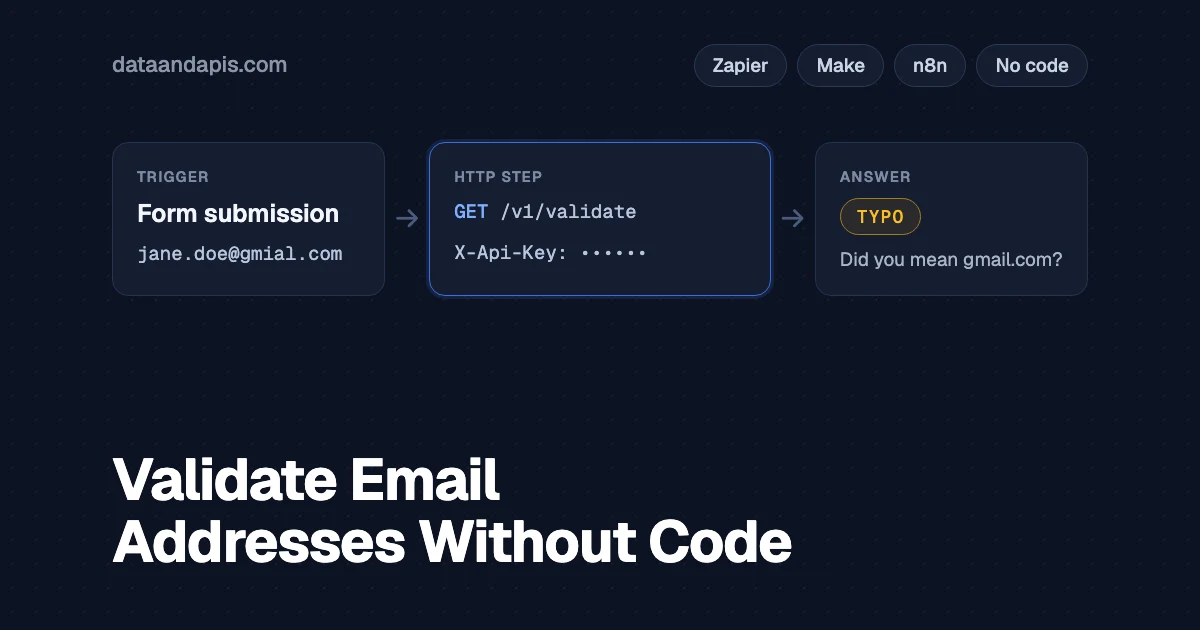
A sign-up form accepts whatever people type. Some of it is a typo like gmial.com, some of it is a throwaway inbox made to grab your free trial, and all of it ends up in your mailing list, where it bounces and drags your sender reputation down.
This guide adds an email check between the form and the list. In Zapier, Make or n8n, one step tells you whether an address can receive mail, whether it is a disposable inbox, and what the person probably meant to type. There is no code to write.
The Short Version
All three platforms send the same request to the Email Validation API and read the answer.
GET https://api-email-validation.dataandapis.com/v1/validate?email=jane.doe@gmial.com
X-Api-Key: YOUR_API_KEY
{
"email": "jane.doe@gmial.com",
"syntax_valid": true,
"domain": "gmial.com",
"mx_found": false,
"mx_hosts": [],
"is_disposable": true,
"did_you_mean": "jane.doe@gmail.com",
"deliverable": false
}
deliverable says whether the address is well formed and its domain accepts mail. is_disposable flags throwaway providers. did_you_mean holds a suggested correction when the domain looks like a typo of a well-known one, and is empty otherwise.
Before You Start
You need one thing first: a Data and APIs key. Create a free account, click Generate API Key on the dashboard and copy the key. The Free plan gives you 500 tokens a month and asks for no card. One email check costs 10 tokens, so the Free plan covers 50 checks a month and the Starter plan ($6.99) covers 2,500.
The examples start from a form submission and add the contact to a mailing list only when the address is good. The trigger can be any form tool, a new row in a sheet or a new contact in your CRM.
Set It Up in Zapier
Webhooks by Zapier, filters and Zaps with more than two steps are part of Zapier's Professional plan and above. They are not included in the Free plan.
- Trigger: your form app, for example Typeform with the event New Entry.
- Action: add Webhooks by Zapier and choose the event GET.
- URL:
https://api-email-validation.dataandapis.com/v1/validate - Query String Params:
emailon the left, the email field from the form on the right. - Headers:
X-Api-Keyon the left, your key on the right. - Test the step. Zapier shows Deliverable, Is Disposable and Did You Mean as fields.
- Filter: add Filter by Zapier: only continue if Deliverable is true and Is Disposable is false.
- Action: add the contact to your list, for example Mailchimp with the event Add/Update Subscriber.
Set It Up in Make
- Trigger: your form module, for example Typeform > Watch Responses.
- Module: add HTTP > Make a request.
- Authentication type: choose API key. Under Credentials, add a new key: paste your key in Key, set API key placement to In the header and API key parameter name to
X-Api-Key. If Make asks for allowed service origins, enterhttps://api-email-validation.dataandapis.com. - URL:
https://api-email-validation.dataandapis.com/v1/validatewith Method set to GET. - Query parameters: name
email, value the email field. - Parse response: Yes. Run the module once so Make learns the fields in the answer.
- Filter: click the line after the HTTP module, choose Set up a filter and add two conditions joined with AND:
deliverableequal totrue, andis_disposableequal tofalse. - Next module: the one that adds the contact to your list or CRM.
Set It Up in n8n
Copy the workflow below, click on an empty n8n canvas and paste it (Ctrl+V, or Cmd+V on a Mac). It arrives with a sample value, so you can run it before you connect anything else.
{
  "name": "Validate an email address",
  "nodes": [
    {"parameters": {}, "id": "n1", "name": "Run manually", "type": "n8n-nodes-base.manualTrigger", "typeVersion": 1, "position": [0, 0]},
    {"parameters": {"assignments": {"assignments": [{"id": "a0", "name": "email", "value": "jane.doe@gmial.com", "type": "string"}]}, "options": {}}, "id": "n2", "name": "Sample input", "type": "n8n-nodes-base.set", "typeVersion": 3.4, "position": [220, 0]},
    {"parameters": {"url": "https://api-email-validation.dataandapis.com/v1/validate", "authentication": "genericCredentialType", "genericAuthType": "httpHeaderAuth", "sendQuery": true, "queryParameters": {"parameters": [{"name": "email", "value": "={{ $json.email }}"}]}, "options": {}}, "id": "n3", "name": "Data and APIs", "type": "n8n-nodes-base.httpRequest", "typeVersion": 4.2, "position": [440, 0]},
    {"parameters": {"conditions": {"options": {"caseSensitive": true, "leftValue": "", "typeValidation": "strict", "version": 2}, "conditions": [{"id": "c0", "leftValue": "={{ $json.deliverable }}", "rightValue": "", "operator": {"type": "boolean", "operation": "true", "singleValue": true}}, {"id": "c1", "leftValue": "={{ $json.is_disposable }}", "rightValue": "", "operator": {"type": "boolean", "operation": "false", "singleValue": true}}], "combinator": "and"}, "options": {}}, "id": "n4", "name": "Check the answer", "type": "n8n-nodes-base.if", "typeVersion": 2.2, "position": [660, 0]},
    {"parameters": {}, "id": "n5", "name": "Good address", "type": "n8n-nodes-base.noOp", "typeVersion": 1, "position": [880, -100]},
    {"parameters": {}, "id": "n6", "name": "Reject or ask again", "type": "n8n-nodes-base.noOp", "typeVersion": 1, "position": [880, 100]},
    {"parameters": {"content": "## Validate an email address\n1. Open the **Data and APIs** node and pick or create a **Header Auth** credential: Name `X-Api-Key`, Value your key from dataandapis.com.\n2. Click **Execute workflow** to try it with the sample input.\n3. Replace the first two nodes with your own trigger, and the last two with what should happen next.", "height": 220, "width": 420}, "id": "n7", "name": "Read me", "type": "n8n-nodes-base.stickyNote", "typeVersion": 1, "position": [0, -280]}
  ],
  "connections": {"Run manually": {"main": [[{"node": "Sample input", "type": "main", "index": 0}]]}, "Sample input": {"main": [[{"node": "Data and APIs", "type": "main", "index": 0}]]}, "Data and APIs": {"main": [[{"node": "Check the answer", "type": "main", "index": 0}]]}, "Check the answer": {"main": [[{"node": "Good address", "type": "main", "index": 0}], [{"node": "Reject or ask again", "type": "main", "index": 0}]]}},
  "settings": {"executionOrder": "v1"}
}- Open the Data and APIs node. Under Credential for Header Auth, create a new credential with Name
X-Api-Keyand Value set to your key. - Click Execute workflow. The sample value travels through the check and comes out on one of the two branches.
- Replace Run manually and Sample input with your own trigger, for example Typeform Trigger or Webhook, and change
{{ $json.email }}in the Data and APIs node to the field from your trigger. - Replace the two end nodes with what should happen on each branch.
Things That Trip People Up
- Deliverable is about the domain, not the mailbox. The check confirms that the address is well formed and that its domain has mail servers. It does not prove that this particular inbox exists.
- Use both fields in the filter. A disposable inbox does receive mail, so it comes back with
deliverableset totrue. Checkingis_disposableas well is what keeps it out. - Offer the correction, do not apply it silently. When
did_you_meanhas a value, email or message the person and ask. Changing an address without asking can send mail to a stranger. - Check once, at the door. At 10 tokens a check, validate an address when it first arrives and store the result, instead of checking it again on every run.
- Empty fields fail. A submission without an email address makes the step stop with an error, so skip those before the check.
- Let the platform build the link. Put the address in the parameter field as shown, not by hand at the end of the URL. Addresses with a plus sign, like
jane+news@gmail.com, break when they are pasted into a URL directly.
What You Can Build With It
- Clean sign-ups: only add contacts that pass to your newsletter tool.
- Typo rescue: when there is a suggestion, send a short message: did you mean this address?
- Trial abuse: tag accounts created with disposable inboxes so sales does not chase them.
- List clean-up: run an old contact sheet through the check before your next campaign.
Wrap-Up
Bad addresses are cheapest to catch at the moment they arrive. One HTTP step between your form and your list is enough: send the address, read deliverable and is_disposable, and let only the good ones through.
Create a free key on the Email Validation API page and run your last fifty sign-ups through it to see how many would have been stopped.