
How to Detect a Website's Tech Stack with One API Call
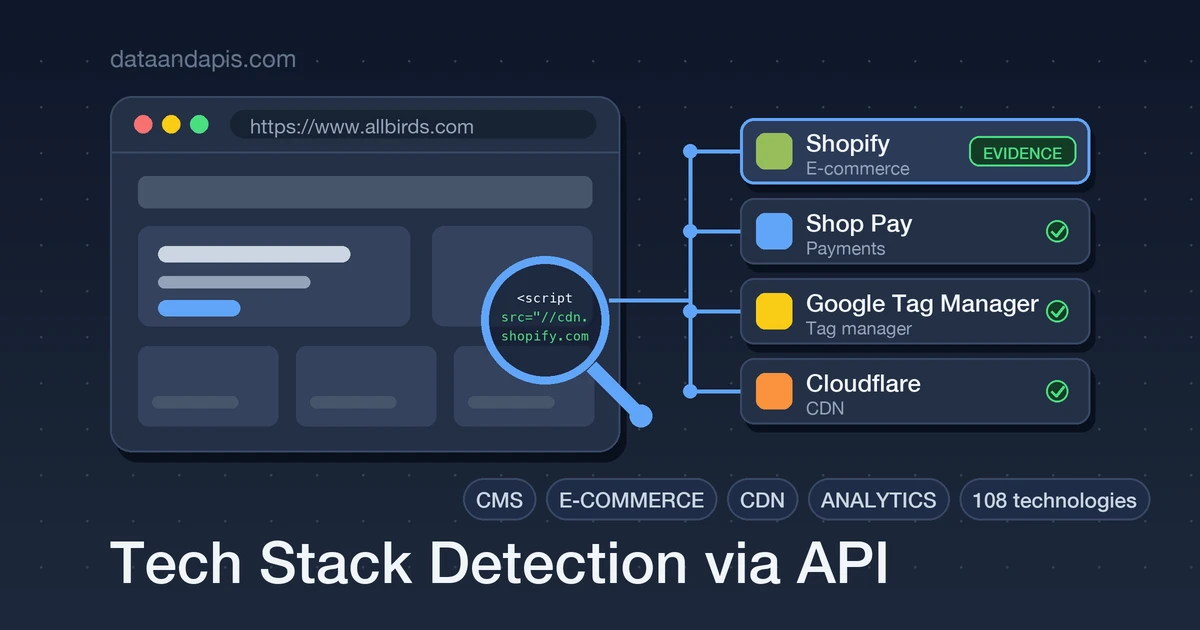
"What does this company run?" is a surprisingly valuable question. Sales teams score leads by it (a Shopify store is a different prospect than a custom Rails shop), agencies quote migrations by it, and product teams find integration partners by it. The answer is sitting in public view on every website — if you know how to read it.
This guide shows you how technology detection actually works — the headers, cookies, and script URLs that give a stack away — and gets you from zero to scanning single sites and 10-domain batches, with evidence attached to every detection so you can trust (and explain) the results.
The 30-Second Version
One GET with the domain. Here's a real store:
curl "https://api-tech-stack.dataandapis.com/v1/stack/www.allbirds.com" \
    -H "x-api-key: YOUR_API_KEY"
{
"status": 200,
"by_category": {
"CDN": ["Cloudflare"],
"E-commerce": ["Shopify"],
"Payments": ["Shop Pay"],
"Tag manager": ["Google Tag Manager"]
},
"technologies": [{
"name": "Shopify",
"category": "E-commerce",
"confidence": "detected",
"evidence": ["script https://cdn.shopify.com/..."]
}]
}
Notice the evidence field: every detection tells you exactly which script URL, header, or cookie gave it away. That's the difference between a claim and an answer.
How Tech Detection Actually Works
Technologies leave static traces in the page a site serves. Detection is one HTTP fetch plus pattern matching against those traces:
- Response headers:
x-powered-by, server signatures, platform-specific cache headers. - Cookies: names like
_shopify_sorPHPSESSIDare fingerprints in themselves. - Script and stylesheet URLs:
cdn.shopify.com,googletagmanager.com,/_next/static/— the loudest evidence there is. - Meta tags and HTML markers: generator tags (
WordPress 6.x) and framework-specific DOM anchors, sometimes with versions exposed.
Two detection subtleties matter more than any tool choice. First, rules must be anchored: a server: cloudflare header proves a site is behind Cloudflare's CDN, but it can never prove Cloudflare Pages — every proxied site sends it. Sloppy fingerprints produce confident nonsense. Second, some knowledge is relational: WooCommerce implies WordPress, Next.js implies React — a good detector reports those as implied rather than pretending it saw them directly.
The DIY Route (and Why It Got Harder in 2023)
For years the answer was "just use Wappalyzer" — until August 2023, when it went closed-source: the GitHub repository came down, the npm package was deprecated, and the community-built GPL fingerprint database was folded into a paid product. Community forks keep the last public ruleset alive, but running your own detector still means owning fingerprint maintenance forever (technologies rebrand, move CDNs, change cookie names), plus fetch infrastructure, timeouts, and redirects.
The Tech Stack API takes the other path: a curated, self-maintained ruleset of 108 technologies, written from each technology's public behavior (no third-party detection service behind it), exposed as a single call. And it's honest about scope: each lookup is one live fetch with static matching — no headless browser, no JavaScript execution — so a technology injected purely client-side with no static trace won't be detected, and /v1/technologies lists exactly what a scan can and cannot find.
Step 1: Scan One Site, Read the Evidence
import os
import requests

API = "https://api-tech-stack.dataandapis.com/v1"
HEADERS = {"x-api-key": os.environ["TECH_STACK_API_KEY"]}

resp = requests.get(f"{API}/stack/stripe.com", headers=HEADERS, timeout=30)
resp.raise_for_status()
scan = resp.json()

for tech in scan["technologies"]:
    marker = "" if tech["confidence"] == "detected" else " (implied)"
    print(f"{tech['category']:>14}  {tech['name']}{marker}")
    for ev in tech["evidence"][:1]:
        print(f"{'':>14}  evidence: {ev}")
Printing the evidence line isn't just for debugging — if this feeds a sales tool, your reps will be asked "how do you know?", and the evidence string is the answer.
Step 2: Enrich a Lead List in Batches
The real workflow is rarely one domain — it's a CRM export. POST up to 10 targets and they're fetched concurrently, with per-target errors reported inline so one dead domain doesn't sink the batch:
const response = await fetch("https://api-tech-stack.dataandapis.com/v1/stack", {
    method: "POST",
    headers: {
        "Content-Type": "application/json",
        "x-api-key": process.env.TECH_STACK_API_KEY,
    },
    body: JSON.stringify({
        targets: ["allbirds.com", "gitlab.com", "some-dead-domain.example"],
    }),
});

const batch = await response.json();

for (const item of batch.results) {
    if (item.error) {
        console.log(`${item.target}: unreachable (${item.error})`);
        continue;
    }
    const shops = item.by_category["E-commerce"] ?? [];
    if (shops.includes("Shopify")) {
        await tagLeadInCrm(item.url, "shopify-merchant");
    }
}
The Fields That Actually Matter
- by_category: the grouped summary — perfect for rendering a stack card or a CRM field per category.
- confidence:
detectedmeans direct evidence;impliedmeans inferred from a certain relationship. Treat them differently in scoring. - evidence: the exact header, cookie, or URL that matched — store it with the result.
- Version capture: where a site exposes its framework version, the detection includes it — useful for migration and security-posture research.
- Guard rails: non-public targets (localhost, private IP ranges) are refused with a 400; unreachable sites return a 502 with the fetch error, so failures are diagnosable.
Gotchas That Keep Your Results Honest
- Absence is not proof of absence. No detector sees everything: a tool loaded purely at runtime with no static trace, or headers stripped by a proxy, will simply not appear. Say "not detected", never "not used".
- A CDN can mask the origin. Seeing Cloudflare tells you about the edge, not what's behind it — that's precisely why anchored rules refuse to over-claim.
- Cache your scans. Each call performs a live fetch of the target, and tech stacks change on the scale of months. Store results with a timestamp and rescan weekly or monthly, not on every page load of your dashboard.
- Homepages aren't the whole story. A marketing site on WordPress can front an app on something else entirely — scan the app subdomain too when the distinction matters.
Five Things to Build with This
- Lead scoring: tag every inbound signup's domain with its stack — your Shopify-app sales team only wants the Shopify merchants.
- Partner targeting: building a WooCommerce plugin? Scan a prospect list and keep the WordPress rows.
- Competitor watch: a monthly cron that rescans competitors and diffs the results — migrations show up as changed detections.
- Agency audits: a client-intake form that turns a URL into a stack report before the first call.
- Market research: scan a vertical's top 100 domains and chart CMS and e-commerce share.
Wrap-Up
Tech-stack detection is pattern matching over the static traces every website exposes — done well, it's anchored, evidence-backed, and honest about what it can't see. You now have both the mental model and working code for single scans and batch lead enrichment.
Get an API key on the Tech Stack API page and scan a site you know well — checking the evidence against ground truth you already trust is the best first test.