
Sanctions Screening in Zapier, Make or n8n Without Code
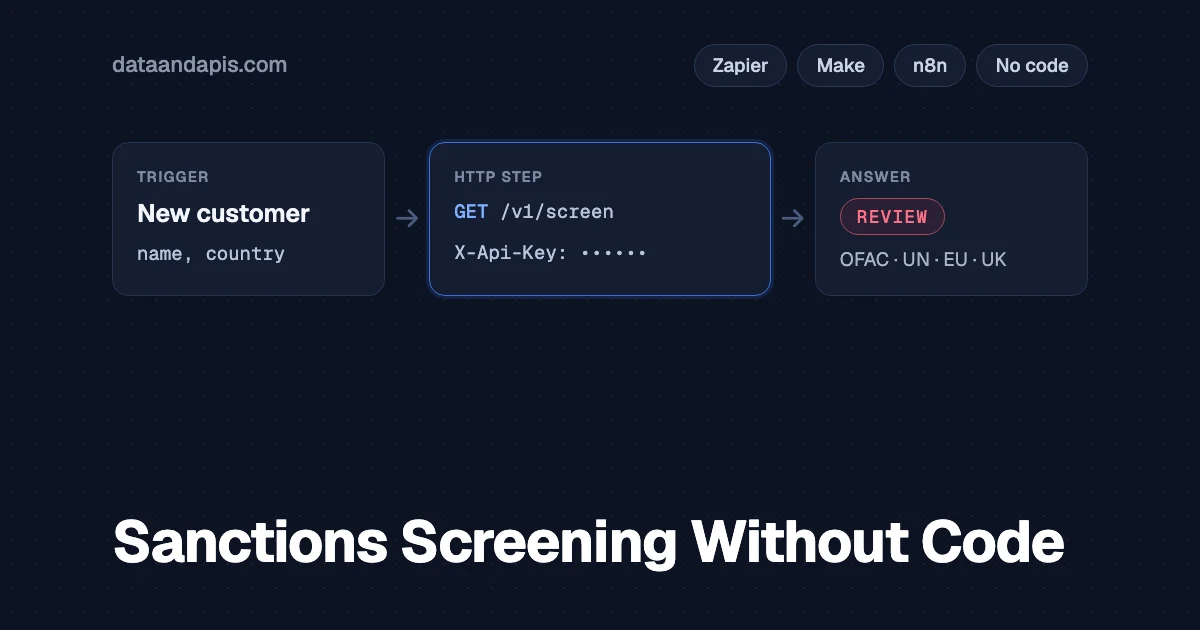
If you take on customers, suppliers or donors, at some point somebody asks whether you check them against sanctions lists. Doing it by hand means searching the US, UN, EU and UK lists one by one for every new name, and remembering to do it every time.
This guide puts that check inside the automation you already have. Each new name is screened against all four lists in one step in Zapier, Make or n8n, and you are told only when a name needs a closer look. There is no code to write.
The Short Version
All three platforms send the same request to the Sanctions Screening API and read the answer.
GET https://api-sanctions.dataandapis.com/v1/screen?name=Osama bin Laden&list=sanction&min_score=0.9&limit=3
X-Api-Key: YOUR_API_KEY
{
"query": "Osama bin Laden",
"min_score": 0.9,
"hit": true,
"count": 3,
"matches": [{
"score": 1,
"matched_name": "Usama Bin Muhammed Bin Awad, Osama Bin Laden",
"match_type": "exact",
"entity": {
"list_type": "sanction",
"source": "EU-FSF",
"entity_type": "individual",
"name": "Osama bin Muhammad bin Awad bin Ladin",
"countries": ["AFGHANISTAN"],
"listed_on": "2012-04-13"
}
}],
"screened_against": [
{"slug": "ofac-sdn", "publish_date": "11/23/2026"},
{"slug": "un", "publish_date": "2026-11-27"}
]
}
The answer above is shortened to one of its three matches and two of its lists. hit is the field you act on: true means at least one listed name is close enough to review. screened_against names each list and the date of the version that was searched, which is the record an auditor asks for.
The lists searched are the US OFAC SDN and consolidated lists, the UN Security Council list, the EU financial sanctions list and the UK Sanctions List. They are refreshed daily.
Before You Start
You need one thing first: a Data and APIs key. Create a free account, click Generate API Key on the dashboard and copy the key. The Free plan gives you 500 tokens a month and asks for no card. One screening costs 1 token, so the Free plan covers 500 names a month.
The examples start from a Google Sheet of new customers and send a Slack message when a name needs review. Swap in your CRM, your shop or your onboarding form as the trigger; the middle step stays the same.
Set It Up in Zapier
Webhooks by Zapier, filters and Zaps with more than two steps are part of Zapier's Professional plan and above. They are not included in the Free plan.
- Trigger: Google Sheets, event New Spreadsheet Row, on your customer sheet.
- Action: add Webhooks by Zapier and choose the event GET.
- URL:
https://api-sanctions.dataandapis.com/v1/screen - Query String Params:
nameon the left, the customer name from the trigger on the right;liston the left, the wordsanctionon the right;min_scoreon the left,0.9on the right;limiton the left,3on the right. - Headers:
X-Api-Keyon the left, your key on the right. - Test the step. Zapier shows Hit, Count and the names, scores and sources of the matches.
- Filter: add Filter by Zapier and only continue if Hit is true.
- Action: Slack, event Send Channel Message, with the customer name and the matched names in the text. Clear names stop at the filter and nobody is disturbed.
Set It Up in Make
- Trigger: Google Sheets > Watch New Rows.
- Module: add HTTP > Make a request.
- Authentication type: choose API key. Under Credentials, add a new key: paste your key in Key, set API key placement to In the header and API key parameter name to
X-Api-Key. If Make asks for allowed service origins, enterhttps://api-sanctions.dataandapis.com. - URL:
https://api-sanctions.dataandapis.com/v1/screenwith Method set to GET. - Query parameters: name
name, value the customer name; namelist, valuesanction; namemin_score, value0.9; namelimit, value3. - Parse response: Yes. Run the module once so Make learns the fields in the answer.
- Filter: click the line after the HTTP module, choose Set up a filter and use the condition
hitequal totrue. - Next module: Slack > Create a Message with the name and the first match.
Set It Up in n8n
Copy the workflow below, click on an empty n8n canvas and paste it (Ctrl+V, or Cmd+V on a Mac). It arrives with a sample value, so you can run it before you connect anything else.
{
  "name": "Screen a name against sanctions lists",
  "nodes": [
    {"parameters": {}, "id": "n1", "name": "Run manually", "type": "n8n-nodes-base.manualTrigger", "typeVersion": 1, "position": [0, 0]},
    {"parameters": {"assignments": {"assignments": [{"id": "a0", "name": "name", "value": "Osama bin Laden", "type": "string"}]}, "options": {}}, "id": "n2", "name": "Sample input", "type": "n8n-nodes-base.set", "typeVersion": 3.4, "position": [220, 0]},
    {"parameters": {"url": "https://api-sanctions.dataandapis.com/v1/screen", "authentication": "genericCredentialType", "genericAuthType": "httpHeaderAuth", "sendQuery": true, "queryParameters": {"parameters": [{"name": "name", "value": "={{ $json.name }}"}, {"name": "list", "value": "sanction"}, {"name": "min_score", "value": "0.9"}, {"name": "limit", "value": "3"}]}, "options": {}}, "id": "n3", "name": "Data and APIs", "type": "n8n-nodes-base.httpRequest", "typeVersion": 4.2, "position": [440, 0]},
    {"parameters": {"conditions": {"options": {"caseSensitive": true, "leftValue": "", "typeValidation": "strict", "version": 2}, "conditions": [{"id": "c0", "leftValue": "={{ $json.hit }}", "rightValue": "", "operator": {"type": "boolean", "operation": "true", "singleValue": true}}], "combinator": "and"}, "options": {}}, "id": "n4", "name": "Check the answer", "type": "n8n-nodes-base.if", "typeVersion": 2.2, "position": [660, 0]},
    {"parameters": {}, "id": "n5", "name": "Possible match: review", "type": "n8n-nodes-base.noOp", "typeVersion": 1, "position": [880, -100]},
    {"parameters": {}, "id": "n6", "name": "Clear", "type": "n8n-nodes-base.noOp", "typeVersion": 1, "position": [880, 100]},
    {"parameters": {"content": "## Screen a name against sanctions lists\n1. Open the **Data and APIs** node and pick or create a **Header Auth** credential: Name `X-Api-Key`, Value your key from dataandapis.com.\n2. Click **Execute workflow** to try it with the sample input.\n3. Replace the first two nodes with your own trigger, and the last two with what should happen next.", "height": 220, "width": 420}, "id": "n7", "name": "Read me", "type": "n8n-nodes-base.stickyNote", "typeVersion": 1, "position": [0, -280]}
  ],
  "connections": {"Run manually": {"main": [[{"node": "Sample input", "type": "main", "index": 0}]]}, "Sample input": {"main": [[{"node": "Data and APIs", "type": "main", "index": 0}]]}, "Data and APIs": {"main": [[{"node": "Check the answer", "type": "main", "index": 0}]]}, "Check the answer": {"main": [[{"node": "Possible match: review", "type": "main", "index": 0}], [{"node": "Clear", "type": "main", "index": 0}]]}},
  "settings": {"executionOrder": "v1"}
}- Open the Data and APIs node. Under Credential for Header Auth, create a new credential with Name
X-Api-Keyand Value set to your key. - Click Execute workflow. The sample value travels through the check and comes out on one of the two branches.
- Replace Run manually and Sample input with your own trigger, for example Google Sheets Trigger or your CRM's trigger, and change
{{ $json.name }}in the Data and APIs node to the field from your trigger. - Replace the two end nodes with what should happen on each branch.
Things That Trip People Up
- A hit is a reason to look, not a verdict. Names repeat. Before you act, compare the birth dates and countries in the match with what you know about your customer. This step supports a compliance process; it does not replace one.
- The score decides how strict the match is.
0.9reports close matches only. The default of0.75also catches looser spellings and transliterations, and produces more names to review. Pick the level your process can handle. - Politically exposed persons are a separate list. Leave out
listand the check also searches about 35,000 current and former office holders. A common name is far more likely to produce a hit that way. - People and companies: add
typewithindividualorentitywhen you know which one you are screening. - Empty names fail. A row without a name makes the step stop with an error, so put a filter before the check that skips empty rows.
- Keep the evidence. Write the date of the check and the content of
screened_againstback to the customer record, so you can show later which list versions were searched.
What You Can Build With It
- Customer onboarding: screen each new account and hold it for review when there is a hit.
- Supplier checks: screen new vendors from your purchasing sheet before the first payment.
- Donor screening: check large donations as they arrive and alert the finance lead.
- Periodic re-screening: run your whole customer list through the check on a schedule, because the lists change every day.
Wrap-Up
Sanctions screening does not have to be a separate product or a manual search. It can be one step in the workflow that already handles your new customers: send the name, read hit, and tell a person only when there is something to review.
Create a free key on the Sanctions Screening API page and screen your last twenty customers to see how many names come back for review.