
Public Holiday Check for Zapier, Make and n8n Automations
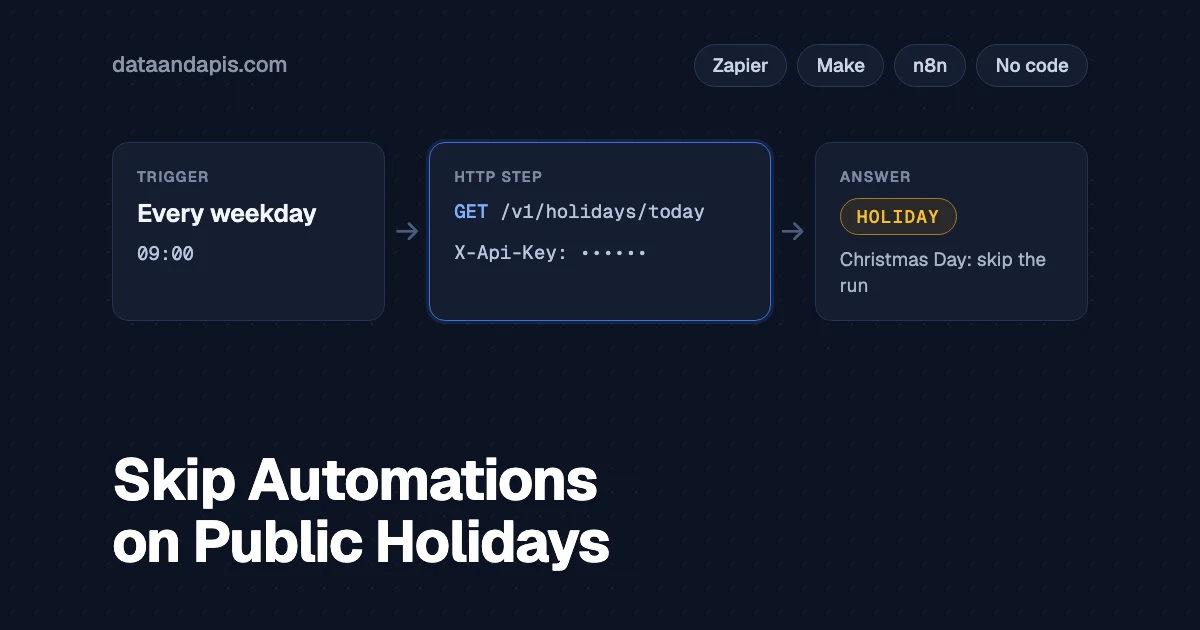
A scheduled automation has no idea what day it is. It sends the payment reminder on Christmas Day, posts the stand-up prompt on a bank holiday and promises next-day delivery when nobody is in the warehouse. Schedulers know about weekends; none of them know about public holidays.
This guide adds a holiday check to the start of a scheduled workflow in Zapier, Make or n8n. One step asks whether today is a public holiday in your country, and the rest of the workflow runs only when it is not. There is no code to write.
The Short Version
All three platforms send the same request to the Public Holidays API and read the answer.
GET https://public-holidays.dataandapis.com/v1/holidays/today?country=US&date=2026-12-25
X-Api-Key: YOUR_API_KEY
{
"ok": true,
"country": "US",
"date": "2026-12-25",
"is_public_holiday": true,
"holidays": [{
"date": "2026-12-25",
"localName": "Christmas Day",
"name": "Christmas Day",
"countryCode": "US",
"global": true,
"counties": null,
"types": ["Public", "Bank"]
}]
}
is_public_holiday is the field you act on. date is optional: leave it out and the check uses today's date. holidays names the holiday, in English and in the local language.
The data covers 204 countries from 2020 to 2028.
Before You Start
You need one thing first: a Data and APIs key. Create a free account, click Generate API Key on the dashboard and copy the key. The Free plan gives you 500 tokens a month and asks for no card. One holiday check costs 1 token. A workflow that checks once a day uses about 30 of the Free plan's 500 tokens a month.
The examples use a workflow that runs every weekday morning. The check goes directly after the schedule, before anything is sent.
Set It Up in Zapier
Webhooks by Zapier, filters and Zaps with more than two steps are part of Zapier's Professional plan and above. They are not included in the Free plan.
- Trigger: Schedule by Zapier, event Every Day, with weekends switched off.
- Action: add Webhooks by Zapier and choose the event GET.
- URL:
https://public-holidays.dataandapis.com/v1/holidays/today - Query String Params:
countryon the left, your two-letter country code, such asUSon the right. - Headers:
X-Api-Keyon the left, your key on the right. - Test the step. Zapier shows Is Public Holiday and, on a holiday, its name.
- Filter: add Filter by Zapier and only continue if Is Public Holiday is false.
- Then add the steps that should happen on working days only.
Set It Up in Make
- Schedule: set the scenario to run Every day at your chosen time, or on the days of the week you pick.
- Module: add HTTP > Make a request.
- Authentication type: choose API key. Under Credentials, add a new key: paste your key in Key, set API key placement to In the header and API key parameter name to
X-Api-Key. If Make asks for allowed service origins, enterhttps://public-holidays.dataandapis.com. - URL:
https://public-holidays.dataandapis.com/v1/holidays/todaywith Method set to GET. - Query parameters: name
country, value your two-letter country code, such asUS. - Parse response: Yes. Run the module once so Make learns the fields in the answer.
- Filter: click the line after the HTTP module, choose Set up a filter and use the condition
is_public_holidayequal tofalse. - Then add the modules that should run on working days only.
Set It Up in n8n
Copy the workflow below, click on an empty n8n canvas and paste it (Ctrl+V, or Cmd+V on a Mac). It arrives with a sample value, so you can run it before you connect anything else.
{
  "name": "Stop on public holidays",
  "nodes": [
    {"parameters": {}, "id": "n1", "name": "Run manually", "type": "n8n-nodes-base.manualTrigger", "typeVersion": 1, "position": [0, 0]},
    {"parameters": {"assignments": {"assignments": [{"id": "a0", "name": "country", "value": "US", "type": "string"}]}, "options": {}}, "id": "n2", "name": "Sample input", "type": "n8n-nodes-base.set", "typeVersion": 3.4, "position": [220, 0]},
    {"parameters": {"url": "https://public-holidays.dataandapis.com/v1/holidays/today", "authentication": "genericCredentialType", "genericAuthType": "httpHeaderAuth", "sendQuery": true, "queryParameters": {"parameters": [{"name": "country", "value": "={{ $json.country }}"}]}, "options": {}}, "id": "n3", "name": "Data and APIs", "type": "n8n-nodes-base.httpRequest", "typeVersion": 4.2, "position": [440, 0]},
    {"parameters": {"conditions": {"options": {"caseSensitive": true, "leftValue": "", "typeValidation": "strict", "version": 2}, "conditions": [{"id": "c0", "leftValue": "={{ $json.is_public_holiday }}", "rightValue": "", "operator": {"type": "boolean", "operation": "false", "singleValue": true}}], "combinator": "and"}, "options": {}}, "id": "n4", "name": "Check the answer", "type": "n8n-nodes-base.if", "typeVersion": 2.2, "position": [660, 0]},
    {"parameters": {}, "id": "n5", "name": "Working day: continue", "type": "n8n-nodes-base.noOp", "typeVersion": 1, "position": [880, -100]},
    {"parameters": {}, "id": "n6", "name": "Public holiday: stop", "type": "n8n-nodes-base.noOp", "typeVersion": 1, "position": [880, 100]},
    {"parameters": {"content": "## Stop on public holidays\n1. Open the **Data and APIs** node and pick or create a **Header Auth** credential: Name `X-Api-Key`, Value your key from dataandapis.com.\n2. Click **Execute workflow** to try it with the sample input.\n3. Replace the first two nodes with your own trigger, and the last two with what should happen next.", "height": 220, "width": 420}, "id": "n7", "name": "Read me", "type": "n8n-nodes-base.stickyNote", "typeVersion": 1, "position": [0, -280]}
  ],
  "connections": {"Run manually": {"main": [[{"node": "Sample input", "type": "main", "index": 0}]]}, "Sample input": {"main": [[{"node": "Data and APIs", "type": "main", "index": 0}]]}, "Data and APIs": {"main": [[{"node": "Check the answer", "type": "main", "index": 0}]]}, "Check the answer": {"main": [[{"node": "Working day: continue", "type": "main", "index": 0}], [{"node": "Public holiday: stop", "type": "main", "index": 0}]]}},
  "settings": {"executionOrder": "v1"}
}- Open the Data and APIs node. Under Credential for Header Auth, create a new credential with Name
X-Api-Keyand Value set to your key. - Click Execute workflow. The sample value travels through the check and comes out on one of the two branches.
- Replace Run manually and Sample input with a Schedule Trigger set to weekdays, and in the Data and APIs node replace
{{ $json.country }}with your country code. - Replace the two end nodes with what should happen on each branch.
Things That Trip People Up
- Today means today in UTC. If your workflow runs early in the morning in Sydney or late in the evening in Los Angeles, UTC is on a different date. Send
dateyourself asYYYY-MM-DDin your own time zone. In Make that isformatDate(now; "YYYY-MM-DD"; "Australia/Sydney"), in n8n{{ $now.setZone("Australia/Sydney").toFormat("yyyy-MM-dd") }}, and in Zapier a Formatter by Zapier date step. - Use the two-letter country code.
US,GB,DE,MX. A code that does not exist is not reported as an error; the answer is simply that today is not a holiday. - Only nationwide holidays set the flag. A holiday that applies to some regions only, such as a German state or a Scottish bank holiday, is listed in
holidayswith its regions incounties, butis_public_holidaystaysfalse. If you work in one of those regions, look at the list as well. - Weekends are not holidays. Saturday and Sunday come back as normal days, so keep the weekday setting on your schedule.
What You Can Build With It
- Polite reminders: hold invoices, payment reminders and follow-up emails until the next working day.
- Team rituals: skip the stand-up prompt and the daily report when the office is closed.
- Honest delivery dates: check tomorrow's date before promising next-day shipping.
- Heads-up message: a second request to
/v1/holidays/nextwith your country returns the upcoming holidays, ready to post in Slack a few days before.
Wrap-Up
Schedulers handle weekends and stop there. One HTTP step right after the schedule closes the gap: ask whether today is a public holiday in your country, and let the workflow continue only when the answer is no.
Create a free key on the Public Holidays API page and add the check to the scheduled workflow you would least like to see run on a holiday.